
Light On, Watch Over
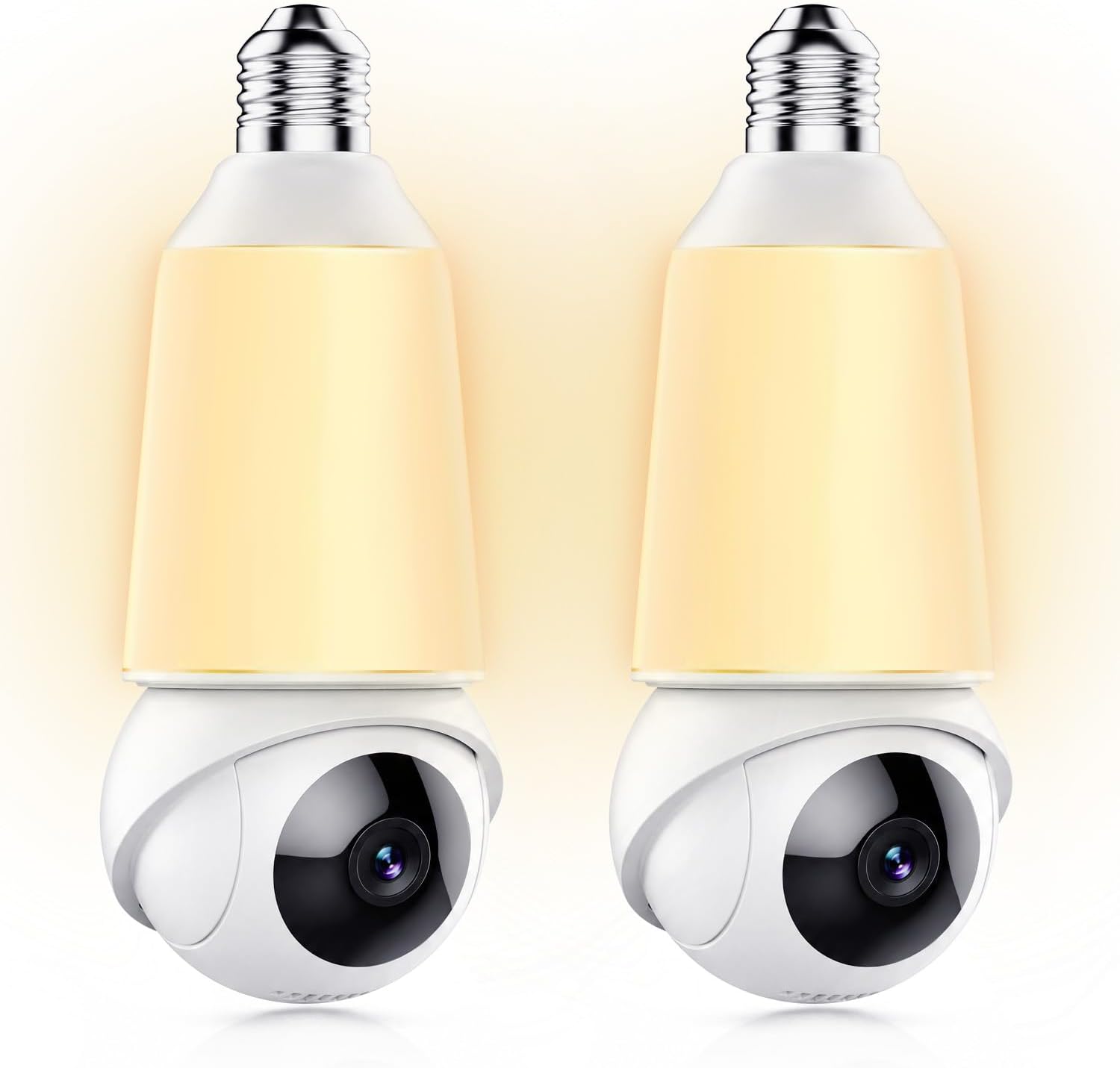
DYPCO builds one thing: a light bulb camera that replaces the bulb already sitting in your porch fixture. Screw it in, put it on your WiFi, and the same socket that lit the doorway now records it — 2K video, 355° pan and tilt, no wiring and nobody to call.
One model, built to replace a porch light
Built for the homes people actually have
See beyond, secure within
Most cameras start with a drill and a cable run. A bulb camera starts with a socket you already have. That is the whole idea behind DYPCO: use the fitting above the door, keep the light, and get a 2K view of everything that approaches it.
- Screws into E26 and E27 sockets — no bracket, no screws, no holes in the wall.
- 2K video, a 355° pan-and-tilt head and a 1000-lumen lamp in the same housing.
- Footage goes to a microSD card; cloud storage is optional and never required.
- Share the feed with the rest of the household from one app.
Up and running in three steps
Power on
Plug the camera in, or screw the bulb camera into its socket. Battery models keep running on backup power while they charge.
Scan and connect
Download the app, scan the QR code on the camera and join your WiFi. Both 2.4G and 5G networks are supported.
Set your rules
Choose detection sensitivity, night-light brightness and notification preferences. Add a microSD card for local recording if you want footage on the device.
Frequently asked questions
Do I need a monthly subscription to use these cameras?
No. Basic live viewing, motion alerts and local recording work with no monthly fee. Cloud storage is optional, and some premium cloud features — such as 911 emergency dial access — require a subscription, which is always optional.
Is a microSD card included?
The card is not included in the package. You can buy a microSD card (up to 128GB) to record video locally. Some models support capacities of 4GB up to 256GB — check the specs on the product page.
How much does shipping cost?
Shipping is calculated based on your location and the items in your order. You will always know the shipping price before you purchase.
When will I get my order?
We work quickly to ship your order as soon as possible. Once your order has shipped you will receive an email with further information; delivery times vary depending on your location.
Need a hand choosing?
Tell us what you want to watch — a driveway, a nursery, a rental, a game trail — and we will point you at the right model.